Tutorial
"Caed" is a block editor designed to help you learn programming. You can assemble Python-like code using blocks and run it.
Adding a block by dragging
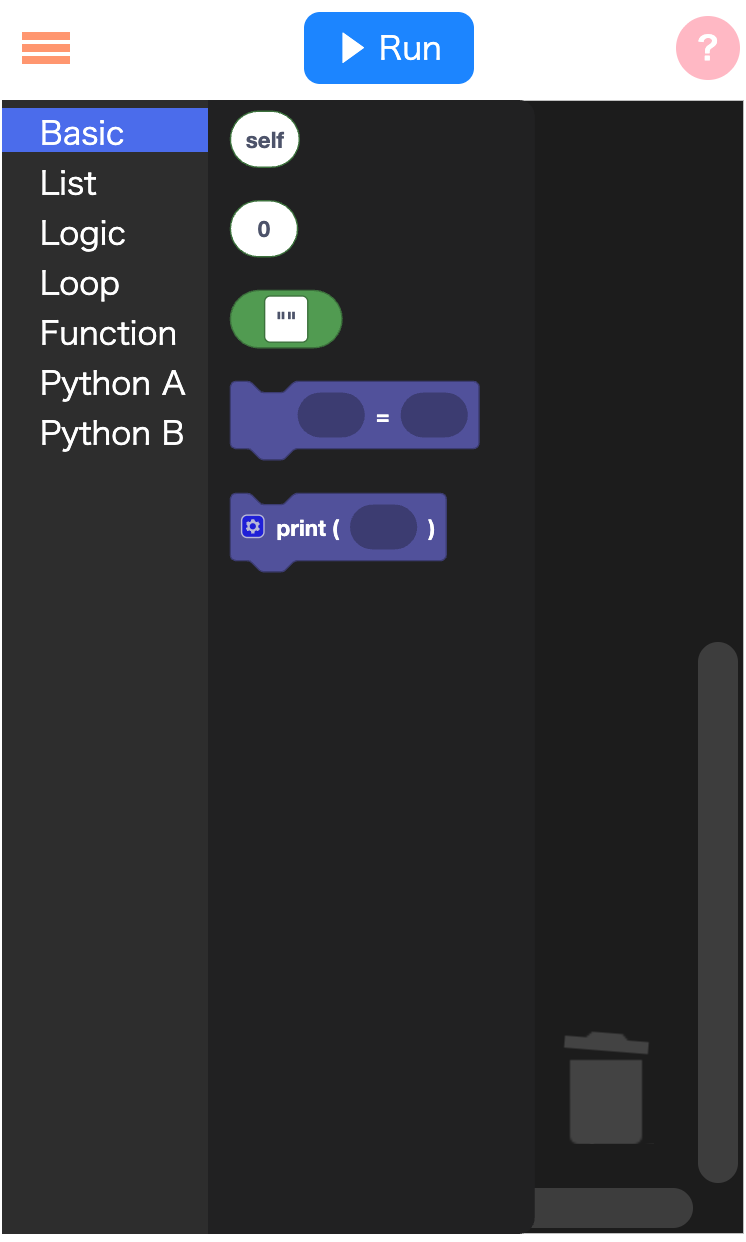
- Click or tap "Basic" on the left.
- Drag the "Display" block from the palette to the right and drop it.
TIP
When placing a block, move straight to the right from the left side.
- Drag the "" (String) block into the "Display" block.
TIP
To attach a block inside another, approach from the right and move left — it helps the snap behavior.
- Click or tap inside the "" (String) block and type the text you want to display.
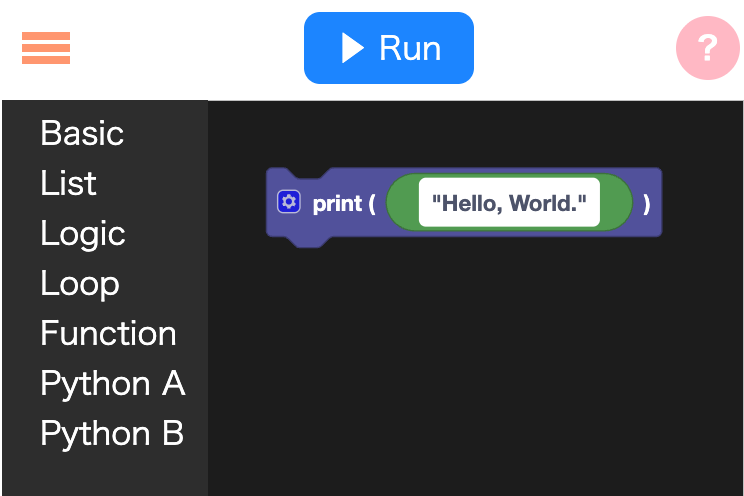
Running a program
Click or tap the "Run" button at the top center. The screen will switch to the runtime view and the program you created will run, showing its output.
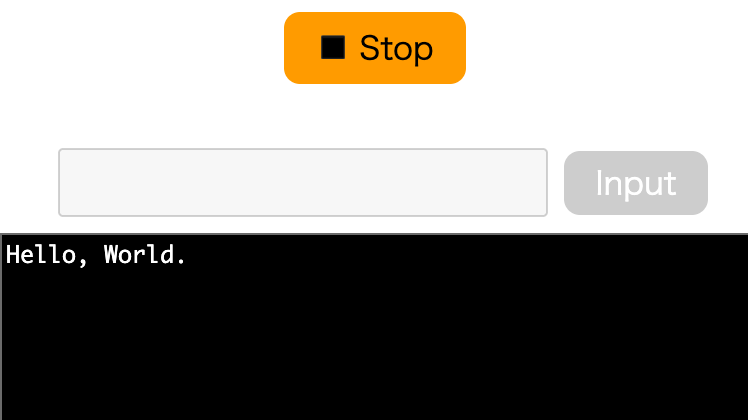
To return to the editor, press the "Stop" button.
Differences from Scratch
Caed uses blocks like Scratch, but it has these distinguishing features:
- It is closer to a text programming environment.
- It focuses on algorithms and data structures rather than creating animations.
- You can use Python-like libraries and features.
- Built-in functions and string methods similar to Python are available.